Why Website Speed Matters More Than You Think: The Cost of a Slow Website (And How to Speed It Up)

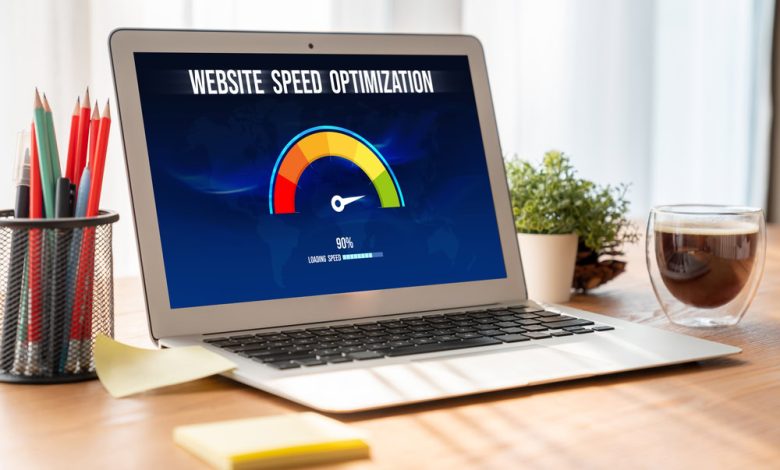
Have you ever clicked on a website only to leave before it fully loaded? You are not alone. Studies show that most users expect a site to load in less than three seconds, and if it does not, they simply move on. The problem goes beyond frustration. The Cost of a Slow Website (And How to Speed It Up) is real, and it affects businesses of every size. From lost revenue to damaged reputation, slow websites silently drain profits and push customers away.
Why Website Speed is a Silent Dealbreaker
Speed may not be the first thing that comes to mind when you think about your online presence, but it plays a huge role in user experience. A slow site makes visitors feel undervalued and impatient. They equate sluggishness with inefficiency, which can damage trust.
Search engines also pay attention. Google uses page speed as a ranking factor, meaning slow websites struggle to show up high in search results. That alone can significantly reduce organic traffic, which in turn cuts off a major source of potential customers.
The Immediate Impact on Bounce Rates
When users click on a page and it takes more than a few seconds to load, many simply back out. This is called a bounce. High bounce rates signal to search engines that the site may not be offering a positive experience. Over time, this worsens rankings and visibility.
User Psychology and First Impressions
Online, first impressions happen in milliseconds. A fast site communicates professionalism, efficiency, and care for customers. A slow one communicates the opposite. Businesses spend thousands polishing brand messages and visuals, but if the site lags, those efforts go to waste.
The Hidden Financial Costs of Slow Websites
Many business owners underestimate how much money they lose from slow loading times. The damage adds up in ways that are not always obvious.
- Lost Sales: If an e-commerce page takes too long, buyers abandon carts. Even small delays can lead to measurable revenue drops.
- Reduced Conversions: Landing pages designed to capture leads lose effectiveness when users exit before completing forms.
- Increased Customer Support Costs: Frustrated visitors often flood support channels with questions that would not exist if the site were more efficient.
- Brand Damage: Negative experiences translate into fewer repeat customers and bad word-of-mouth reviews.
One second may not sound like much, but studies have shown that every second of delay can reduce conversions by as much as 7 percent. Imagine losing 7 percent of sales every day simply because of lagging performance.
Technical Causes of Slow Websites
Understanding what slows down a site is the first step toward fixing it. Common culprits include:
- Unoptimized Images: Large image files can drastically slow load times.
- Poor Hosting: Low-quality servers struggle with high traffic.
- Excessive Scripts: Too many plugins, widgets, or tracking scripts increase load.
- Unnecessary Redirects: Each redirect adds delay.
- No Caching: Without caching, browsers repeatedly reload the same data instead of storing it locally.
These are just a few examples. The reality is that multiple small issues often pile up and create the overall slowdown.
How to Speed Up Your Website
Thankfully, speed problems can be solved with the right optimizations. Some improvements require technical work, while others are quick fixes that anyone can apply.
Optimize Media and Assets
- Compress and resize images before uploading them.
- Use next-generation formats like WebP.
- Limit auto-playing videos unless absolutely necessary.
Improve Hosting and Server Response
- Invest in reliable hosting with strong performance guarantees.
- Use a content delivery network (CDN) to distribute data faster across regions.
- Reduce reliance on shared servers that slow down during peak traffic hours.
Clean Up Code and Scripts
- Minify CSS and JavaScript files.
- Remove unused plugins and tracking codes.
- Consolidate multiple scripts to reduce requests.
Enable Caching
- Browser caching allows repeat visitors to load pages faster.
- Server-side caching reduces database strain.
Prioritize Mobile Performance
Mobile users now outnumber desktop visitors, so ensuring quick loading on smartphones is critical. This includes responsive design, lightweight themes, and mobile-friendly media.
The SEO Boost of Faster Pages
Speed is not just about usability. It is also about discoverability. Faster sites are rewarded with better rankings in search engines, leading to more organic traffic. Google’s algorithm measures Core Web Vitals, which directly relate to loading speed and responsiveness.
A site that ranks higher generates more clicks, and more clicks lead to more opportunities to convert visitors into loyal customers.
Real-Life Scenarios Where Speed Made the Difference
Consider a small online retailer with a slow-loading checkout page. Customers abandoned carts at alarming rates. By compressing images, reducing scripts, and using a faster host, the retailer cut load time by half. Sales increased by nearly 20 percent in a single quarter.
Another example involves a service-based company with a high bounce rate. After enabling caching and cleaning up backend scripts, the site began loading within two seconds. The result was a noticeable improvement in lead generation.
Why Website Speed is an Investment, Not an Expense
Some business owners hesitate to spend money on speed improvements, but the reality is that this investment pays itself back quickly. A faster website means:
- Higher customer satisfaction
- Increased conversions
- Better SEO rankings
- Lower long-term costs
Instead of seeing it as a technical upgrade, it should be viewed as a direct revenue strategy.
FAQs About Website Speed
Q. How do I know if my website is too slow?
You can test speed using free tools like Google PageSpeed Insights or GTmetrix. If your site takes more than three seconds to load, improvements are necessary.
Q. Can a slow website affect trust in my brand?
Yes. People judge digital credibility quickly. If your site lags, many will assume your services or products are equally inefficient.
Q. Do speed improvements require hiring a developer?
Not always. Some fixes, like image compression and caching plugins, can be done without advanced skills. However, deeper issues like server optimization often need professional help.
Q. How often should I check my website speed?
At least once a quarter. Frequent testing ensures that new plugins, design updates, or changes in hosting do not slow things down.
Q. Is mobile speed more important than desktop speed?
Yes. Since most browsing happens on mobile devices, Google prioritizes mobile performance when ranking sites.
Q. Can website speed influence advertising costs?
Absolutely. If you run paid campaigns, slow pages increase bounce rates, lowering ad quality scores and raising costs per click.